You set a dwell time of two minutes, then wonder what that actually costs per visit. Longer sessions mean more credits, and the desktop versus mobile split changes the math again. Understanding the cost drivers keeps your budget from drifting.
This article breaks down what moves the price of a dwell-time CTR campaign, from visit volume and click paths to location targeting and daily search goals. You will also see how CTRTool structures Starter, Growth and Scale plans in credits, what those credits cover, and which campaign types get the most value per dollar.
What Is CTRTool and How Does Its Pricing Work?
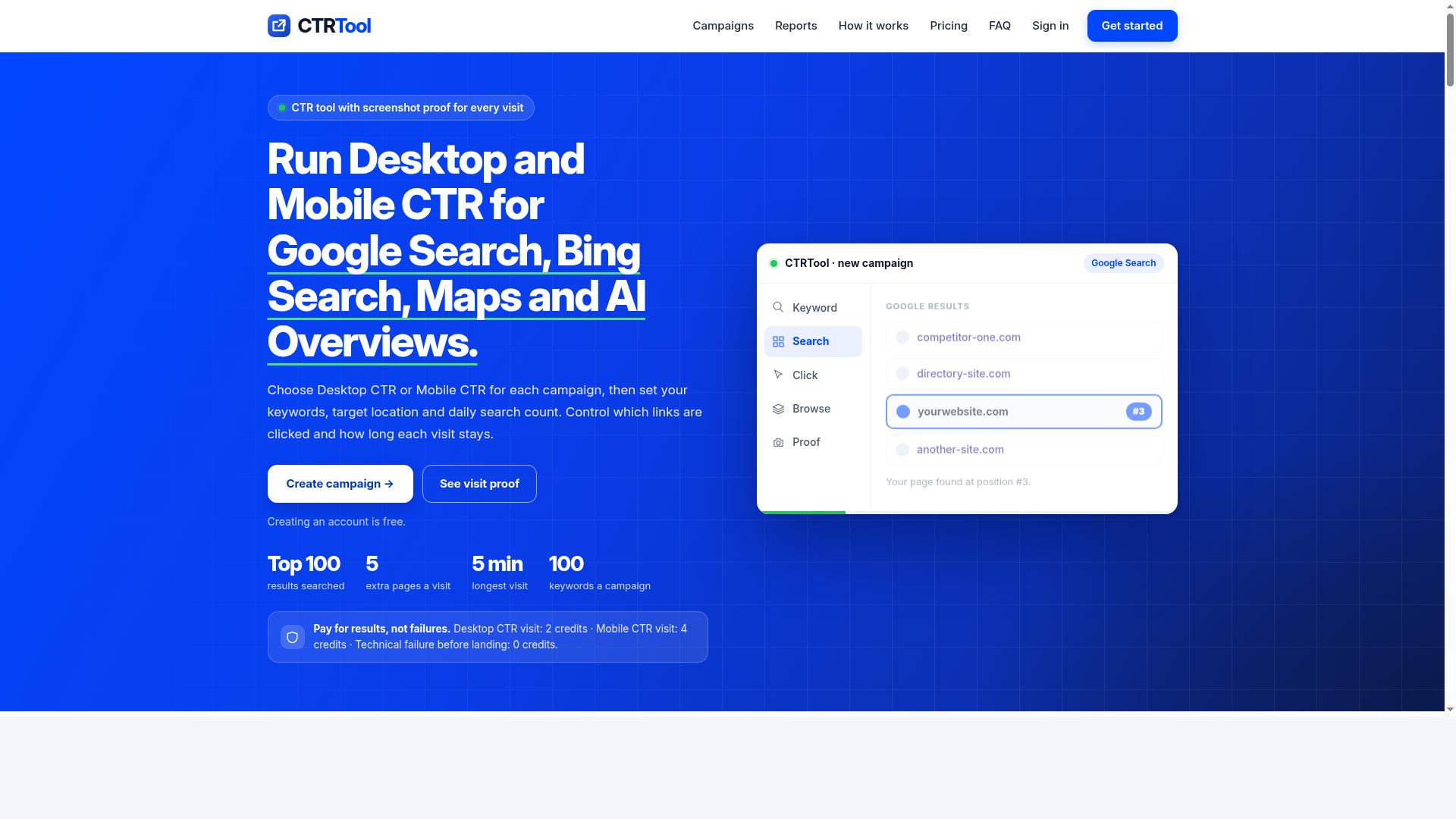
CTRTool is a SaaS platform that runs CTR campaigns for Google Search, Bing Search, Google Maps, and AI Overviews, charging a flat monthly fee based on credits rather than per-click or per-impression. It is built for marketers and SEO teams who want to influence click-through rate and dwell time signals through real visits to their pages.
A defining feature is screenshot proof for every visit. Each campaign visit is documented, so users can see evidence of the activity they paid for rather than trusting an opaque dashboard count.
The pricing model is credit-based. Users pick a monthly plan, and each plan includes a set number of credits that are spent on Desktop or Mobile CTR visits. Creating an account is free, so evaluating the platform costs nothing up front.
Here is how the published plans break down:
| Plan | Monthly Price | Credits | Approx. Visits |
|---|---|---|---|
| Starter | $59 | 2,000 | Up to 1,000 Desktop or 500 Mobile |
| Growth (Recommended) | $125 | 5,000 | Up to 2,500 Desktop or 1,250 Mobile |
| Scale | $399 | 20,000 | Up to 10,000 Desktop or 5,000 Mobile |
| Agency | $699 | 40,000 | Up to 20,000 Desktop or 10,000 Mobile |
Credits are consumed per visit, not per click or impression. A Desktop CTR visit costs 2 credits and a Mobile CTR visit costs 4 credits. A verified search without a match costs 1 credit, and a technical failure before landing costs 0 credits.
This structure differs sharply from Google Ads billing. There, advertisers pay per click under cost per click or per thousand impressions under cost-per-thousand impressions, with costs shifting as auction dynamics, quality score, and ad rank change. CTRTool instead prices the visit itself, giving a predictable cost per unit of activity.
Unused credits roll over while a subscription stays active, and they expire when cancellation takes effect. Custom development is quoted separately as a one-time agreed fee. Current launch pricing notes that prices rise 30% on November 15, so locking in early matters.
What Drives the Cost of a CTR Campaign for Dwell Time?
The cost of a dwell-time CTR campaign depends on three main levers: how many visits you buy, how complex each visit is to simulate, and where and how often those visits must occur. These are operational variables, not hidden fees. They determine how quickly a campaign consumes credits and, in turn, which plan tier makes sense.
In CTRTool, dwell time is not a separate line item. No campaign is billed by the second. Instead, duration is shaped by how each visit is configured, including time on page, scrolling time, and click paths through internal pages. A campaign built around longer sessions looks different at setup, but the credit mechanics stay tied to the visit itself.
Understanding these drivers helps you plan a realistic budget before you commit. It also explains why two campaigns targeting the same keyword can sit on very different plans. The sections below break down each lever in turn.
Visit Volume and Desktop vs. Mobile Mix
Visit volume is the primary cost multiplier, and the Desktop-to-Mobile mix directly changes how many credits each visit consumes. In CTRTool, a Desktop CTR visit costs 2 credits, while a Mobile CTR visit costs 4 credits. That gap is the single biggest swing factor in campaign budgeting.
The Starter plan at $59/month includes 2,000 credits. That covers up to 1,000 Desktop CTR visits or 500 Mobile CTR visits. A campaign targeting 500 visits per month would use 500 credits on Desktop but 1,000 credits on Mobile, which can push the plan choice upward.
Scaling changes the picture further. Moving from 500 to 2,500 visits per month pushes most users from Starter to Growth at $125/month for 5,000 credits. Growth covers up to 2,500 Desktop or 1,250 Mobile visits, so a Mobile-heavy campaign at that volume would need a larger tier.
| Monthly Visits | Device Type | Credits Used | Plan That Fits |
|---|---|---|---|
| 500 | Desktop | 1,000 | Starter |
| 500 | Mobile | 2,000 | Starter |
| 2,500 | Desktop | 5,000 | Growth |
| 2,500 | Mobile | 10,000 | Scale |
Unused credits roll over while a subscription is active, so a lighter month does not waste spend. Credits expire when cancellation takes effect.
Dwell Time, Click Paths and Campaign Complexity
Dwell time and click paths are not billed separately, but they influence how campaigns are configured and which plan tier is sufficient. CTRTool does not charge extra for longer dwell time or multi-page paths. Complexity only affects credit use if it requires additional actions, such as internal page visits.
Campaigns can target internal pages, and link text, click order, and scrolling time are all configurable. Visits can run up to five minutes total, with up to five additional pages per visit. Full visit paths are recorded with screenshot proof, so you can verify what happened on each session.
A campaign simulating a 2-minute dwell time with a 3-page click path might still consume one credit per visit. The trade-off is setup and monitoring effort. More moving parts mean more careful configuration, which often favors higher plans simply because they carry more credits to work with.
This is a different model from Google Ads, where dwell time is an outcome rather than a cost driver. There, session duration feeds into user engagement metrics and page experience signals that can shape quality score and ad rank. In CTRTool, the relationship is direct: you configure the visit, and the visit consumes credits.
Location Targeting and Daily Search Goals
Geographic targeting and daily search goals affect cost indirectly by determining how many credits are needed to maintain consistent visibility in chosen locations. CTRTool lets you target a country, a state, and a city, or select "Any country" to use a mix of supported locations.
Narrower targeting can require more credits to hit the same daily search volume because the pool of available searches is smaller. Targeting New York City versus all of the US for the same keyword may need different credit allocations to reach an identical daily goal. Precision has a price in effort, not in surcharges.
Daily search goals translate directly into monthly consumption. A goal of 50 searches per day works out to roughly 1,500 visits per month, which points toward the Growth plan. Timing options include now, spread out, or gap scheduling, with daily goals resetting at 00:00 UTC.
Keyword competition is not a direct cost factor in CTRTool, unlike Google Ads bids and auction dynamics. Appearing in the top 100 results is a prerequisite instead. Search depth goes up to 100, and reports track keyword positions over time so you can see whether targeting and volume are working together.
How CTRTool Prices Dwell-Time CTR Campaigns
CTRTool uses a credit-based subscription model with three monthly plans, where credits are consumed per visit and the device type determines the credit cost per visit. This structure separates dwell-time CTR campaign pricing from the auction-based cost per click that advertisers see in platforms like Google Ads.
Because there is no per-click or per-impression billing, the spend you commit to is fixed at the plan level. A Desktop CTR visit costs 2 credits, a Mobile CTR visit costs 4 credits, and a verified search without a match uses 1 credit. Technical failures before landing are charged 0 credits, so a broken visit does not eat into your balance.
All plans are billed monthly in USD. One shared credit balance covers every campaign type, website and keyword on the account, and unused credits roll over while the subscription stays active. That rollover matters for dwell-time work, since session duration and user engagement metrics are measured over weeks rather than in a single burst.
The two subsections below cover the plan tiers and their visit capacity, then set out exactly what a credit does and does not pay for. Together they show how the model maps to the cost drivers discussed earlier, without any of the bid strategy or auction dynamics that shape advertising cost drivers elsewhere.
Starter, Growth and Scale Plans in Credits
CTRTool offers three monthly plans: Starter at $59 for 2,000 credits, Growth at $125 for 5,000 credits, and Scale at $399 for 20,000 credits. A fourth tier, Agency at $699 for 40,000 credits, extends the same structure to higher volumes.
Because Desktop visits draw 2 credits and Mobile visits draw 4, each plan's practical capacity depends on the device mix you run. The table below shows the approximate visit ceiling for each tier.
| Plan | Monthly price (USD) | Credits | Approx. Desktop visits | Approx. Mobile visits |
|---|---|---|---|---|
| Starter | $59 | 2,000 | Up to 1,000 | Up to 500 |
| Growth (Recommended) | $125 | 5,000 | Up to 2,500 | Up to 1,250 |
| Scale | $399 | 20,000 | Up to 10,000 | Up to 5,000 |
| Agency | $699 | 40,000 | Up to 20,000 | Up to 10,000 |
Choosing a tier comes down to two inputs: the monthly visit volume you want and the share of that volume going to mobile. A campaign built around session duration on mobile pages will burn credits twice as fast as a desktop-focused one, so the same credit balance supports roughly half the visits.
Growth is marked Recommended, which suits accounts running a steady mix of both device types. Credits reset monthly, and creating an account is free, so you can evaluate the structure before committing to a paid tier.
What Credits Cover - and What They Don't
Credits cover the execution and proof of each CTR visit, including search and landing screenshots, but they do not cover third-party costs like content creation or link building. The distinction matters when you build a dwell-time budget, because only the visit side of the work is metered here.
Each credit-consuming visit delivers a set of outputs that support user engagement metrics and page experience signals over time:
- Screenshot proof for every visit, with search and landing screenshots saved as separate proof images.
- Full visit paths, with visits lasting up to 5 minutes and up to 5 additional internal pages.
- Keyword position tracking over time, including Maps listing order and AI citation order.
- Location verification, where visits that cannot verify the requested location use no credits.
What credits do not pay for is equally clear. Keyword research, content writing and tier links appear as guidance rather than as billed services, so they sit outside the credit balance. Support is handled via email, and no phone support is listed.
Custom development carries a separate, agreed one-time fee rather than drawing on credits. For dwell-time planning, this means your credit spend maps to visit execution and proof, while content relevance and landing page quality remain work you own or source elsewhere.
Why CTRTool's Pay-for-Results Model Keeps Costs Predictable
Unlike Google Ads' auction-based CPC or CPM billing, CTRTool charges a fixed monthly fee for a set number of visits, making campaign costs predictable and decoupled from click prices or impression share. That single structural difference changes how you plan a CTR campaign budget for dwell time.
On Google Ads, your cost per click moves with auction dynamics, keyword competition and quality score. CTRTool removes those variables from the price entirely. There is no bidding, no ad rank to defend and no quality score quietly raising what you pay.
The practical result is a simple equation: you know how many visits you get per month before you spend anything. Budgeting becomes a matter of matching that visit volume to your dwell time goals, not guessing what the next auction will cost.
No Bidding, No Quality Score, No Auction
Google Ads pricing depends on a chain of variables: manual CPC or automated bidding, expected CTR, ad relevance, landing page quality and the reserve price in the auction. Each one can shift your effective cost per click from week to week.
CTRTool's model sidesteps that chain. Because there is no bidding and no quality score impact on price, the financial risk normally tied to bid strategy and ad rank disappears from the plan.
- No manual CPC or smart bidding adjustments to monitor
- No quality score swings changing your effective rate
- No first-price or second-price auction pressure on cost
- No impression share targets driving spend upward
For teams used to budget pacing fights and fluctuating cost-per-thousand impressions, a flat fee tied to a visit count is far easier to forecast. You are buying a defined outcome, not competing for one.
Visit Volume You Can Budget Against
Because the fee maps to a set number of visits, you can treat CTR campaign pricing as a fixed line item rather than a variable one. That matters when dwell time is the goal, since session duration depends on steady, consistent traffic rather than spiky bursts of paid clicks.
Agencies in particular benefit. Forecasting client costs becomes straightforward when the monthly visit count is known in advance and the price does not move with click competition. You can plan user engagement metrics targets around a stable traffic base.
This predictability also supports cleaner reporting. Instead of explaining why CPC rose because a competitor entered the auction, you can focus the conversation on session duration, scroll depth and content relevance, the metrics that actually reflect dwell time performance.
Proof per Visit Reduces Wasted Spend
CTRTool is positioned as a CTR tool with screenshot proof for every visit across Google Search, Bing Search, Maps and AI Overviews. That accountability layer changes the economics of the spend.
With unverified click sources, part of the budget can disappear into traffic you cannot confirm. Screenshot proof gives you a record tied to each visit, so you can see what the fee actually delivered. That reduces the risk of paying for clicks that never materialized as real sessions.
The brand also advises starting with tier links, PBNs and test properties, and using CTR on main sites with caution. That guidance fits the same financial logic: test the model on lower-stakes properties first, confirm the visits and their behavior, then scale spend with confidence. For agencies, documented proof per visit is also easier to pass on to clients than an aggregate click report.
The verdict is clear. CTRTool's pay-for-results structure keeps campaign costs predictable because the price is fixed, the visit count is known and every visit carries proof. That combination makes it a sound, budget-friendly choice for teams building dwell time through controlled CTR campaigns.
Who Gets the Most Value From CTRTool's Pricing
CTRTool's pricing delivers the most value to SEO practitioners and agencies running repeatable CTR campaigns across multiple keywords or locations. The tool is built for people who treat click-through rate and dwell time as ongoing signals, not one-off experiments. If that describes your workflow, the pricing model tends to work in your favor.
Three groups get the clearest return from the credit-based structure:
- Agencies managing client sites that need to run campaigns across several properties without juggling separate contracts for each one.
- In-house SEO teams testing dwell time and engagement signals on their own pages, where campaign volume changes month to month.
- Businesses targeting Google Maps or AI Overviews, where traditional ad placements are limited or unavailable and paid search options do not cover the same ground.
For the first two groups, the appeal is repeatability. A campaign that works for one keyword set or one client can be cloned and adjusted, which keeps cost per visit predictable as the workload grows. CTRTool supports campaigns across Google Search, Bing Search, Google Maps and AI Overviews, so the same account covers the surfaces these teams already report on.
Users who need high visit volumes, roughly 2,500 or more per month, benefit most from the Growth or Scale tiers. At that level, the effective cost per visit drops compared with smaller plans, and the savings compound across every keyword in a campaign. Low-volume users can still run targeted tests, but the per-visit economics favor the larger plans once volume is steady.
Precise geographic targeting is another point in favor of the credit model. Because credits can be allocated by country, state or city, teams can push budget toward high-value locations and keep spend light in markets that matter less. That flexibility suits local SEO work and multi-region clients, where a flat per-campaign fee would often overcharge some locations and underfund others.
It is worth being clear about what the pricing does and does not promise. CTRTool's value here is cost efficiency for specific use cases, not a guarantee of ranking gains or traffic outcomes. Teams that measure results against their own baselines, and adjust campaigns as data comes in, are the ones positioned to get the most from each credit spent.
Final Verdict: Is CTRTool Worth the Cost for Dwell Time?
CTRTool is worth the cost for teams that need verifiable, screenshot-backed CTR visits with dwell time and click-path simulation, especially when compared to the variable and often opaque costs of auction-based advertising. The pricing model is built for predictability rather than auction dynamics.
Instead of bidding against competitors in a live auction, you pay a fixed monthly fee and consume credits per visit. That makes CTR campaign pricing easier to plan around, because there is no cost per click to chase and no ad rank to defend. Each visit is documented with screenshot proof, which matters when the goal is dwell time and click-path behavior rather than raw impressions.
CTRTool supports campaigns across Google Search, Bing, Maps, and AI Overviews. For teams measuring session duration and page experience signals, that breadth keeps engagement testing in one place. The trade-off is scope: credits cover visits, not content or links, so budget for those separately.
Limitations are worth stating plainly. There is no phone support, and no social profiles are listed among the site pages, which include Sign in, Create an account, Support, Terms of use, and Legal notices. Support runs through email at vaibhav@autoblogging.ai, and the official website is ctrtool.com.
Use this framework to pick a plan:
- Starter: best for small tests of dwell time and click-path settings before committing to a longer campaign.
- Growth: suited to ongoing campaigns that need steady credit consumption month after month.
- Scale: built for high-volume agencies running many campaigns at once.
On balance, the value proposition holds for dwell-time work. Predictable monthly pricing, per-visit credits, and screenshot proof give you a clear cost picture that auction-based advertising rarely offers. For teams that need that clarity, CTRTool is a sound fit.
Frequently Asked Questions
What factors determine the cost of a CTR campaign for dwell time?
Cost is driven mainly by the number of visits you need and whether they are Desktop or Mobile, since Mobile CTR visits consume more credits in CTRTool's plans. Campaign type (Google Search, Bing Search, Maps or AI Overviews) and targeting scope also matter, because each campaign is set up around specific keywords, locations and devices. In short, cost scales with volume and the credit cost of the visit type you choose.
How does CTRTool's credit-based pricing work?
CTRTool uses monthly plans priced in USD with a set number of credits: Starter is $59/month for 2,000 credits and Growth is $125/month for 5,000 credits. Credits translate into visits, with Desktop CTR visits costing fewer credits than Mobile CTR visits. This pay-for-results credit model means your spend maps directly to the visits you run.
Do Desktop and Mobile CTR campaigns cost the same?
No. You choose Desktop CTR or Mobile CTR per campaign, and Mobile visits consume more credits than Desktop visits on the same plan. For example, the Starter plan's 2,000 credits cover up to 1,000 Desktop CTR visits or 500 Mobile CTR visits. Budget accordingly if your dwell-time goals require mobile traffic.
What do I actually get for the price?
Every CTRTool visit includes screenshot proof, with search and landing screenshots provided as separate proof images, plus full visit paths. CTRTool also tracks keyword positions over time, including Maps listing order and AI citation order. So the cost covers verifiable visits and the reporting that lets you confirm they happened.
Does targeting a specific country or city change the price?
CTRTool lets you target a chosen country and optionally a state and city, or select "Any country" to use a mix of supported locations. The verified pricing is structured around plan credits and visit type rather than listing separate location fees. For location-specific requirements, check your campaign setup or contact support to confirm what fits your plan.
Are there eligibility requirements that affect whether a campaign can run?
Yes. Your page must appear within the top 100 organic results for the chosen keyword and location, Maps campaigns check up to 50 listings (about five pages), and AI Overview campaigns need a matching source link. Meeting these requirements before launch helps avoid wasted spend on campaigns that can't be fulfilled.